One click to keep going.
Left-click the cup to start or stop. Right-click for durations and Preferences. A filled cup means your Mac is staying awake.
⌘⇧CToggle from any app
 Barista
Keep your Mac awake and your menu bar tidy. One small, free app for both.
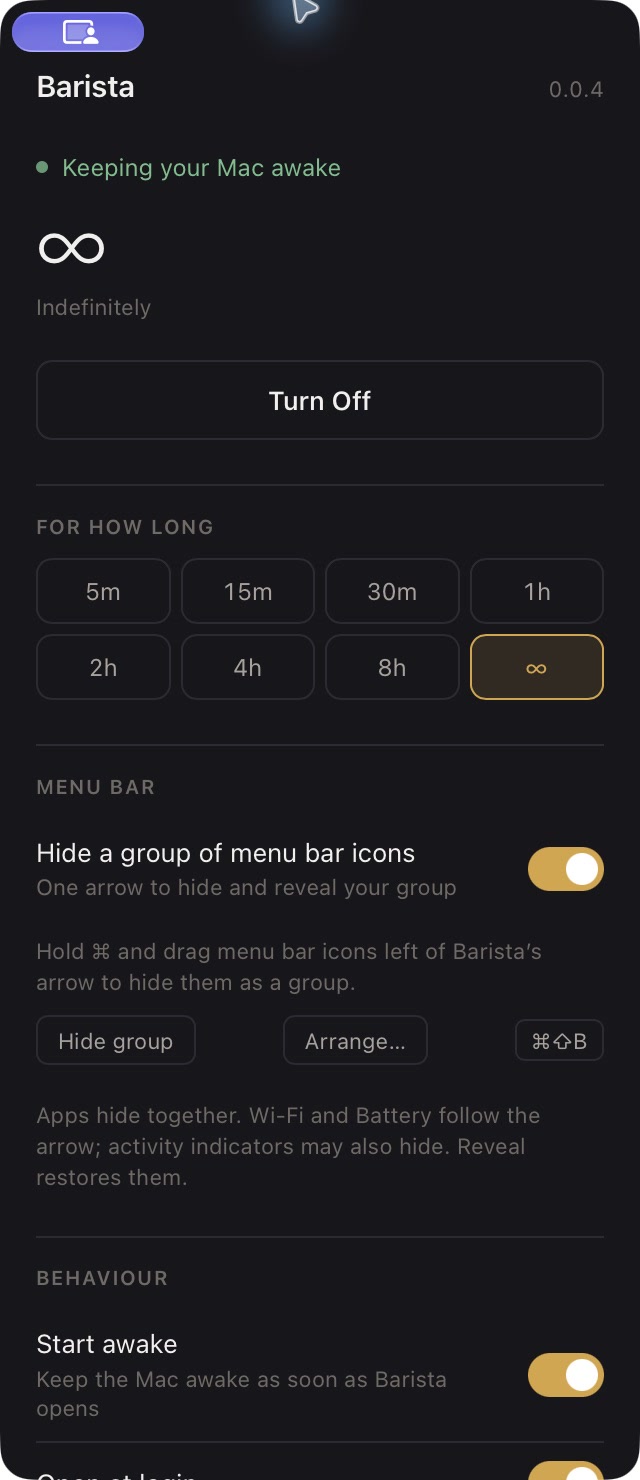
Made for your Mac. Apple Silicon, macOS 15 or newer. Free and open source.
Want icon grouping too? Requires macOS 27 and Accessibility access. Read the details ↗
Long download, presentation, or a day at your desk. Choose how long your Mac stays awake, then get on with it.
Left-click the cup to start or stop. Right-click for durations and Preferences. A filled cup means your Mac is staying awake.
⌘⇧CToggle from any app
Barista opens at login and starts awake indefinitely by default. Prefer a timer? Pick five minutes to eight hours, or change the startup settings.
Keep-awake guide ↗These are real captures of the native app. Explore the controls before you install.
Choose ∞ for an indefinite session. Turn it off from the cup, the shortcut, or Preferences.
Keep-awake controls idle sleep. Manual sleep, lid-close behavior, and macOS power protections still apply.
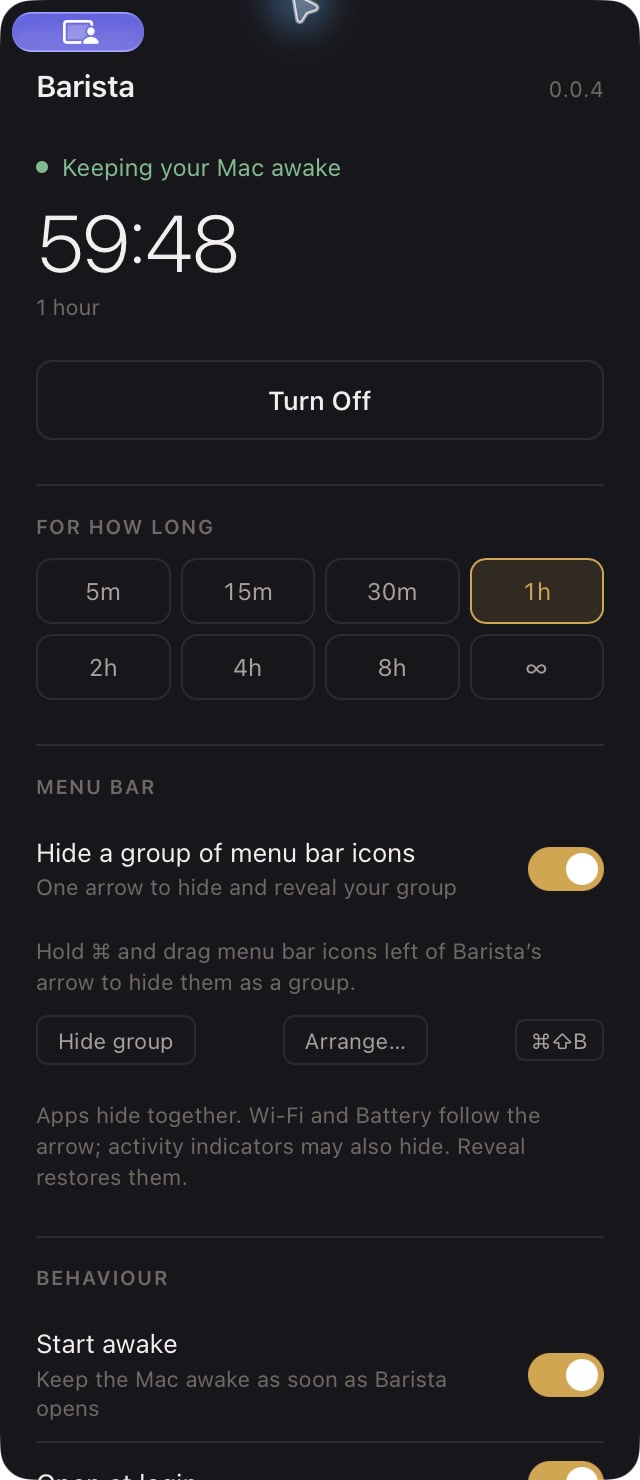
Five minutes or a full workday. Choosing a duration starts a session immediately and replaces any running timer.
When the timer ends, Barista releases its power assertions so your normal idle-sleep settings take over.
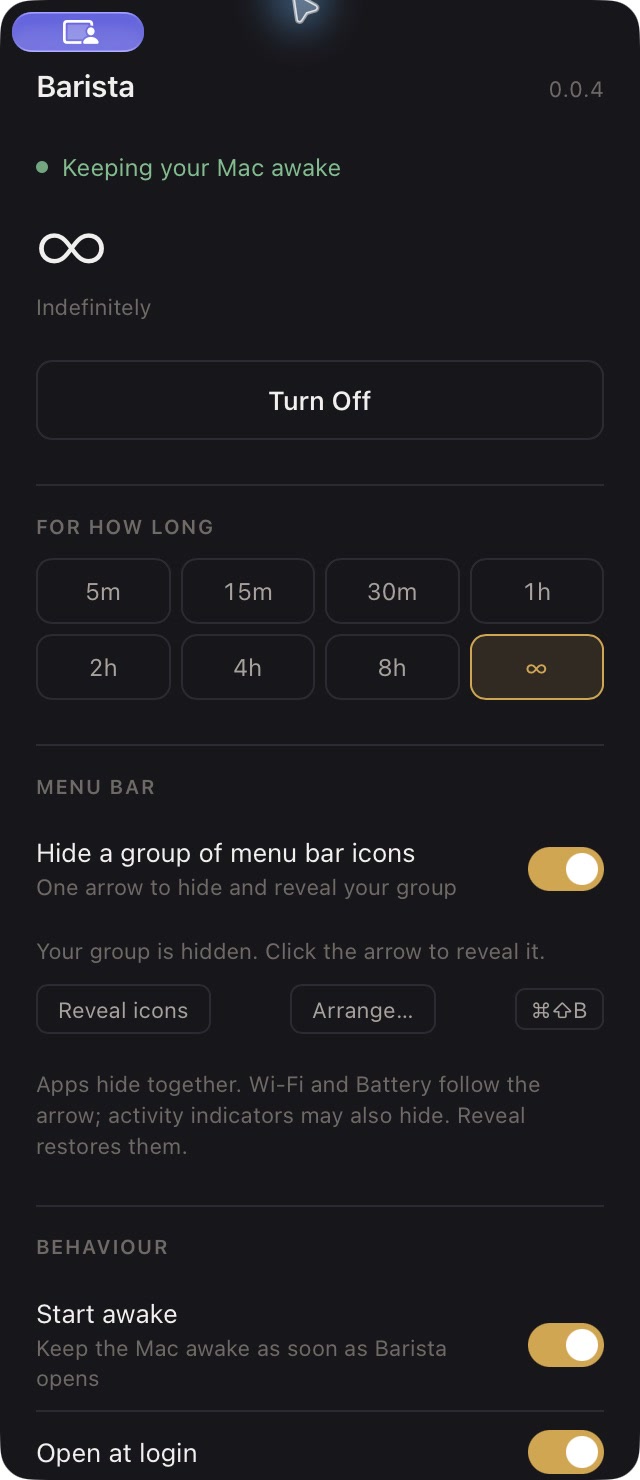
Hold ⌘ and drag unwanted icons left of the arrow. Click the arrow to hide or reveal the group. The cup stays visible.
Grouping needs macOS 27 and Accessibility. Apps with several icons hide together; Apple controls can also hide.
Grouping and its limits ↗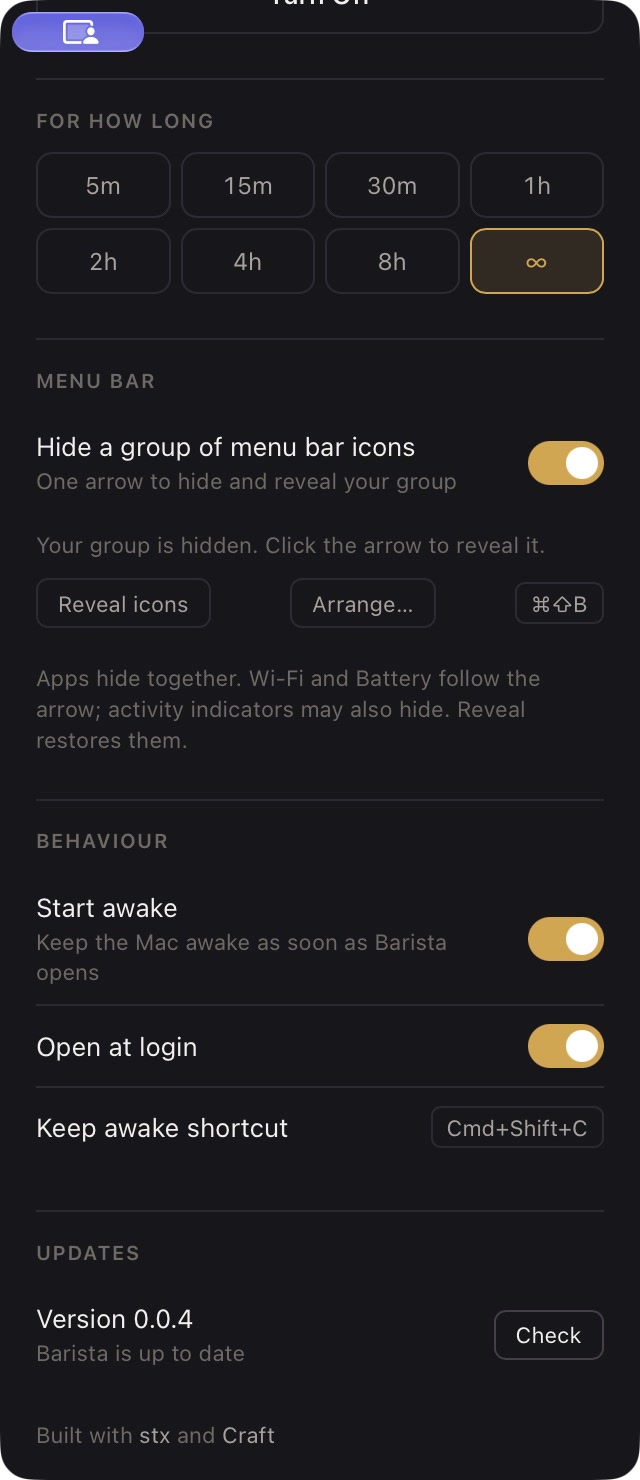
Check for new GitHub releases in Preferences. Barista downloads the update, then offers Install and restart.
Downloads are checked by SHA-256, Apple notarization, and Barista’s signing team before installation.
How updates work ↗No account. No subscription. Just an app in Applications.
Open the downloaded DMG, drag Barista into Applications, then launch it from there.
Your Mac starts awake indefinitely. Right-click the cup to set a timer, change startup behavior, or arrange your hidden group.
For keeping your Mac awake, yes. Barista uses native macOS power assertions, with timed and indefinite sessions, login startup, and a global shortcut.
Grouping uses a private macOS API, following Hidden Bar’s approach. It can suppress Apple modules and activity indicators. Reveal the group to restore them.
Read the grouping requirements ↗macOS controls overflow when revealed icons do not fit. Barista adds no wide spacer and cannot guarantee app menus stay visible during system overflow.
Yes, under the MIT license. The app is TypeScript and stx, with native behavior provided by Craft and the system WebKit view.
View the source ↗